
Reading isn't rehearsing
A script can look great on screen but sound awkward when spoken aloud.
LokiTalki · Speech preparation & practice
Prepare your script with professional speech cues, rehearse with a teleprompter, and get actionable feedback on your delivery before your next pitch, demo, or presentation.
Start Practising for FreeNo account needed · Start with a script or record a quick practice
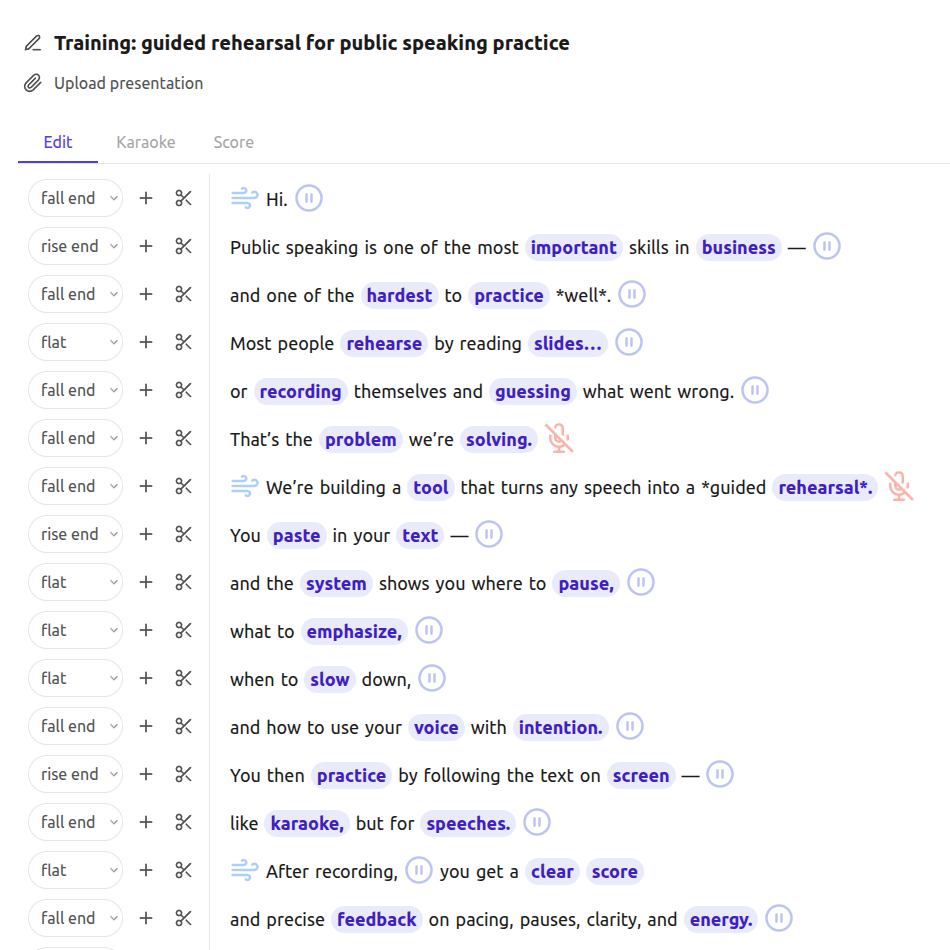
LokiTalki is a pitch and presentation practice tool that helps you prepare your script, rehearse your delivery, record your speech, and review your performance before the big day.
THE PROBLEM
You've built the product, prepared the demo, and know your pitch. But delivering it well takes more than knowing your material.
A script can look great on screen but sound awkward when spoken aloud.
Without feedback, it's hard to know whether your pace, pauses, and emphasis are working.
Speaking alone can feel very different from presenting to investors, customers, or your team.
Plan your delivery, practise out loud, and get feedback on what to improve before the moment that matters.
Your rehearsal workflow
Prepare your script, rehearse with purpose, and get feedback on your delivery — all in one place.
Add delivery cues to your speech script, including word emphasis, pauses, breathing, pace, and intonation. Plan how you want your words to sound before you start rehearsing.
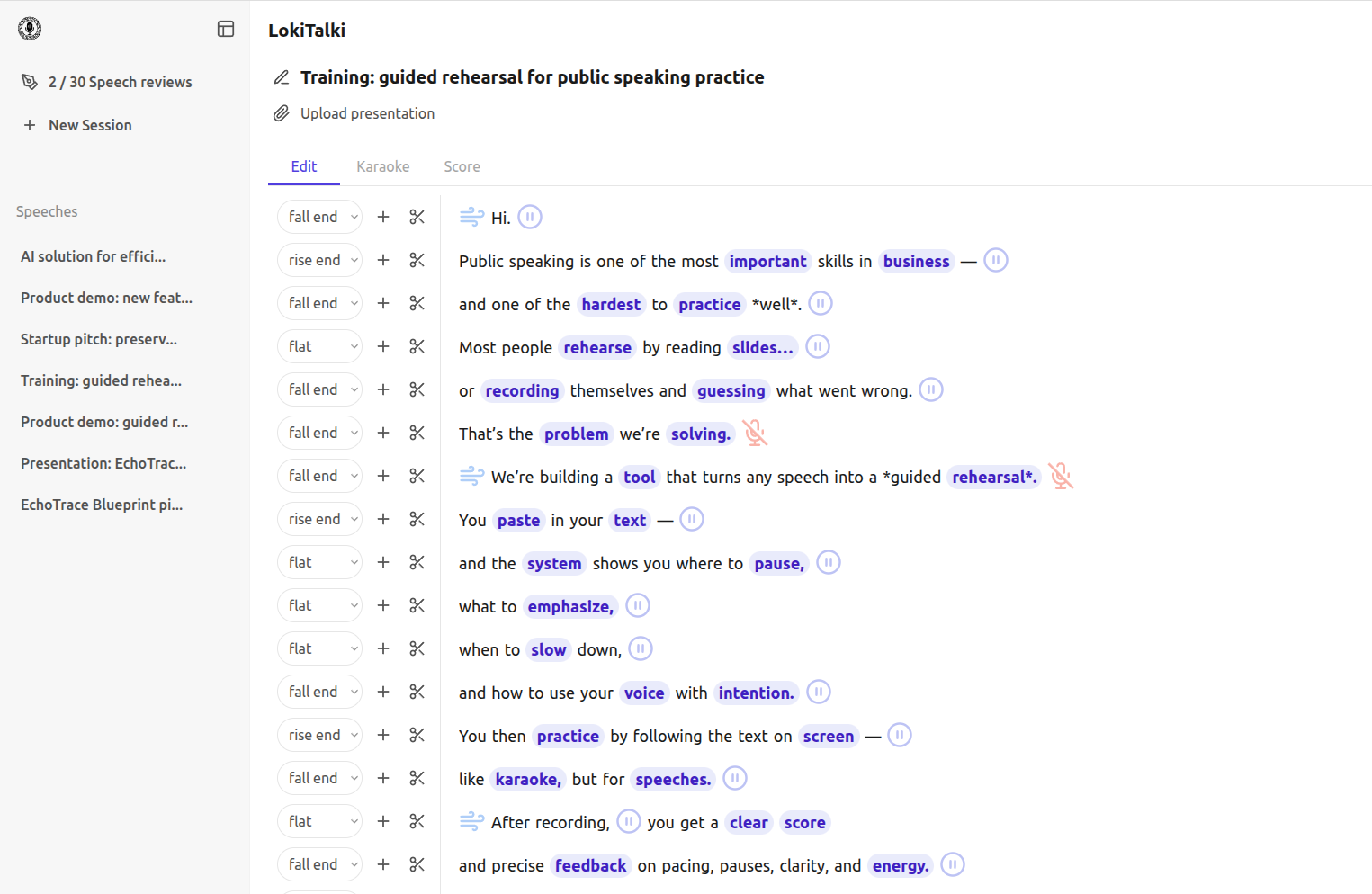
 Edit screenshot
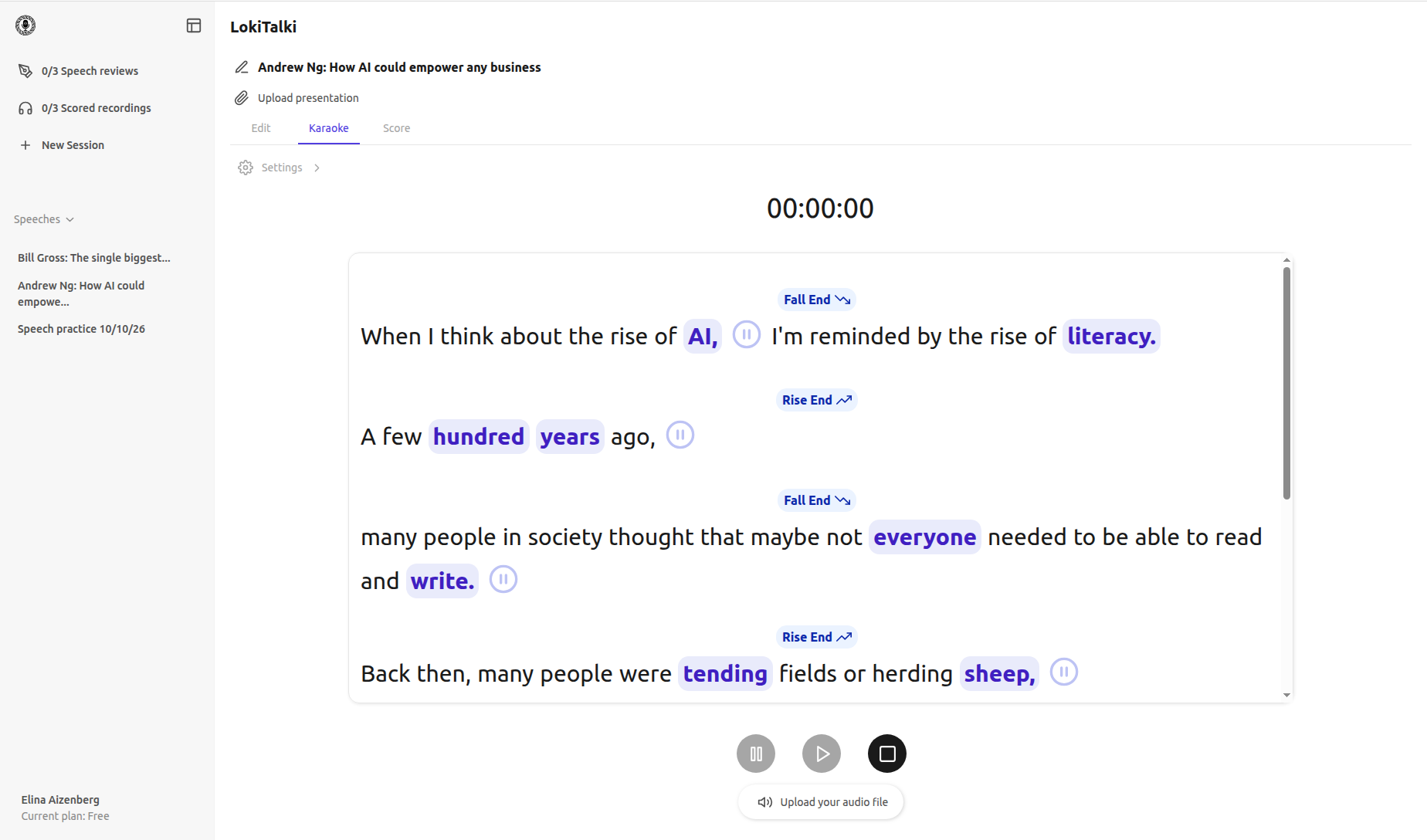
Practise with a teleprompter and choose whether to display your delivery cues. Add your presentation slides, use the stopwatch, and try simulated audience sounds to make your rehearsal more realistic.
Record your rehearsal and get a score with actionable feedback on authority, audience load, delivery load, clarity, pace, pausing, and intonation. Use the feedback to decide what to work on before your actual presentation.
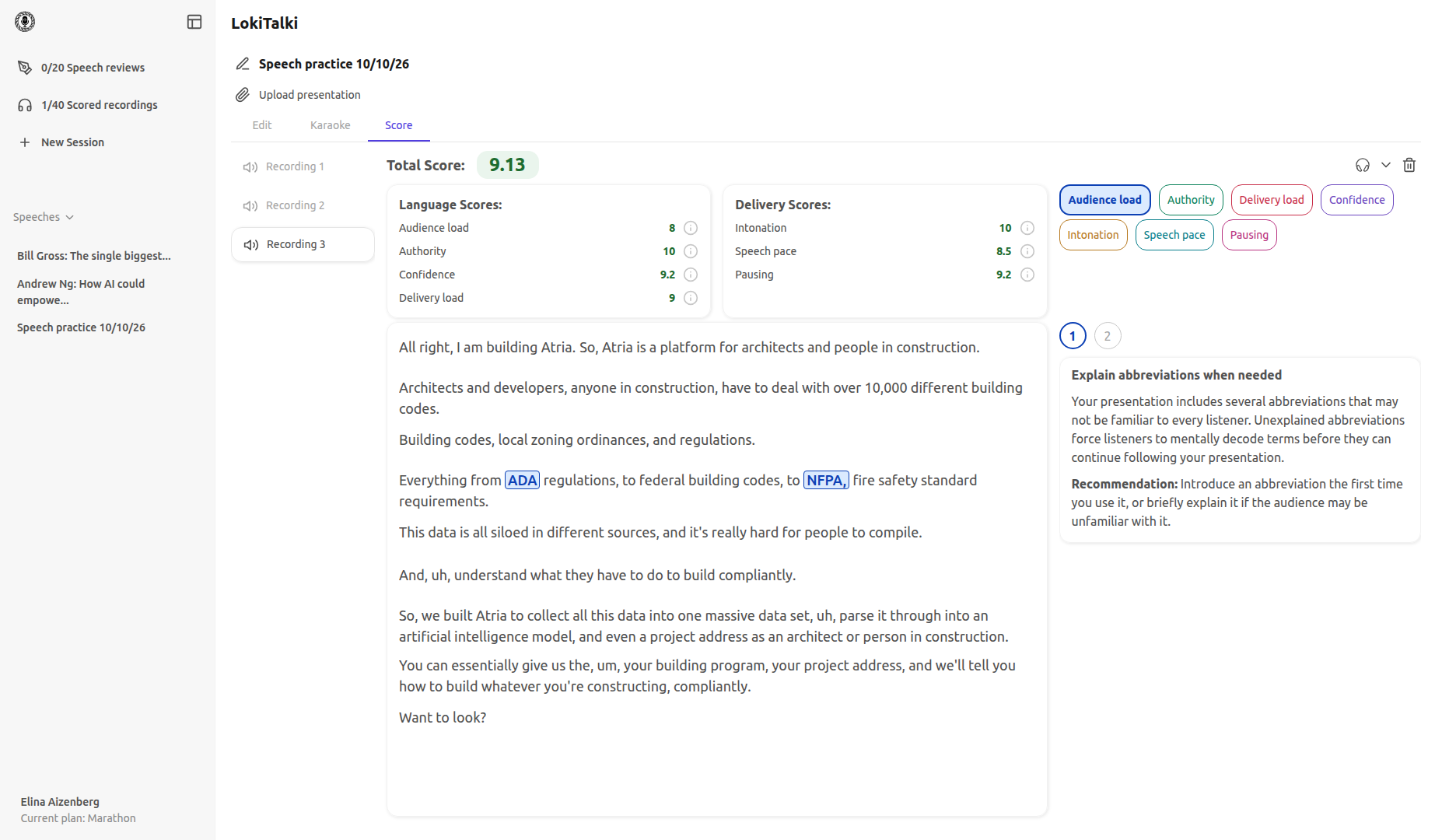
 Score screenshot
Your performance, understood
LokiTalki evaluates your language and delivery across seven dimensions, helping you understand how your speech comes across and what to work on next.
Understand how your words and delivery choices shape the impression you make.
Is my presentation easy to follow in real time?
How much mental effort your audience needs to understand your presentation.
Do I sound like I believe what I'm saying?
How confident and decisive your language sounds.
Does my speech sound confident and well-rehearsed?
How smoothly your ideas flow without unnecessary verbal interruptions.
Are my ideas delivered in manageable pieces?
How easy your sentence structure is to follow while listening.
Understand the vocal techniques that shape how your speech sounds.
Do my statements land with certainty?
How conclusive and confident your sentence endings sound.
Is my speaking speed easy for the audience to follow?
How well you control speaking speed so the audience can keep up.
Do I give my audience time to absorb what I just said?
How well you use silence to separate ideas and give important points room to land.
Built for your next big moment
Whether you're pitching an idea, demonstrating a product, or explaining a technical concept, LokiTalki helps you prepare how you'll deliver it.

Investor pitch
Clarify your key points, emphasize what matters, and rehearse your pitch before meeting investors.